LogoHappy Horse AI
  • Create
  • Agent
  • AI Image
  • AI Video
  • Pricing
Now officially live and open to all public usersMay 2025

Z-Image AI Image Generator

Developed by Tongyi-MAI, Z-Image is an open-source 6B foundational image model built for tight prompt alignment, flexible visual output, and specialized downstream variants including Turbo and Edit. Use this browser-based tool to run text-to-image and streamlined single-reference image-to-image workflows directly in your browser tab.

Loading...

Prompt:

1:1

4:3

3:4

16:9

9:16

Model:

Loading...

Scene Examples 1
Start Using Z-Image

Simplify text-to-image and streamlined single-reference image-to-image workflows by building high-quality visuals with Z-Image right on this platform.

Start with a detailed prompt, upload one reference image when required, and refine your results with fast, targeted tweaks while keeping your prompt clear and precisely defined.

01

Outline your subject and visual objectives

Craft a detailed prompt that lays out your core subject, camera angle, lighting setup, composition, and any required text for your final image.

02

Upload One Reference Image When Needed

To lock in a specific mood, product silhouette, or overall layout tone, upload one reference image and guide your generation output with clear, conversational prompts.

03

Create Fast Variations and Refine Outputs

Generate images in your preferred aspect ratio, compare multiple generated options, and tweak your prompt until the composition and any included text align perfectly with your vision.

Key Advantages of Z-Image

What Sets Z-Image Apart as a Top-Tier Base Image Model

Z-Image is an open-source 6B foundational model recognized for consistent prompt alignment, a strong suite of variant models, and fully supported local deployment workflows.

Open-Source 6B Core Foundational Model

Z-Image acts as the core base model for the entire product family, letting developers and creators inspect, fine-tune, and deploy the official upstream build without being locked into a closed, hosted-only platform.

The official upstream Apache-2.0 release is fully public and available through GitHub and Hugging Face.
It serves as the base for downstream family variants including Z-Image-Turbo and Z-Image-Edit.
Choose this model when direct access to model weights and local deployment options are your top priorities, instead of only relying on one-click hosted generation.

Exact Prompt and Negative-prompt Control for Clear, Predictable Results

Official documentation emphasizes strong prompt alignment and effective negative prompt practices, ensuring your prompt adjustments are clearly mirrored in the final generated output.

This model works best when you clearly outline your subject, composition, desired style, and elements you want to exclude from the final image.
This level of control is especially useful for poster design, product photography, and layout-sensitive prompt projects.
Iterating and comparing generated options is much simpler when the core prompt stays consistent across every generation run.

One Base Model for Flexible Visual Styles and Use Cases

As the non-distilled base model, Z-Image lets you shift seamlessly between realistic photography, polished poster layouts, and more stylized creative directions without switching between different model families.

It supports transitions between realistic, poster-style, and fully stylized creative directions without trapping you into a single aesthetic too early in your creative workflow.
It’s ideal for testing different subject identities, poses, compositions, and art direction tweaks using the same core prompt base model.
This flexibility is incredibly helpful during the initial brainstorming stage, before you settle on a single final creative direction.

Full Local Runtime Support and ComfyUI Integration Compatibility

Z-Image is already fully compatible with diffusers-based pipelines, local inference tools, ComfyUI utility apps, and community workflow packs.

Proven local inference workflows and community-built tools are already available, instead of only relying on hosted demo versions.
You can seamlessly integrate it with LoRA, ControlNet, and a broad range of custom workflow tests.
This level of support is essential if local deployment is a key consideration in your model selection process.
Top Use Cases

Perfect Use Cases for Z-Image

Built for prompt-guided image generation, poster layout design, product-focused visuals, and single-reference refinement work right on this platform.

Prompt-Powered Product & Marketing Visuals

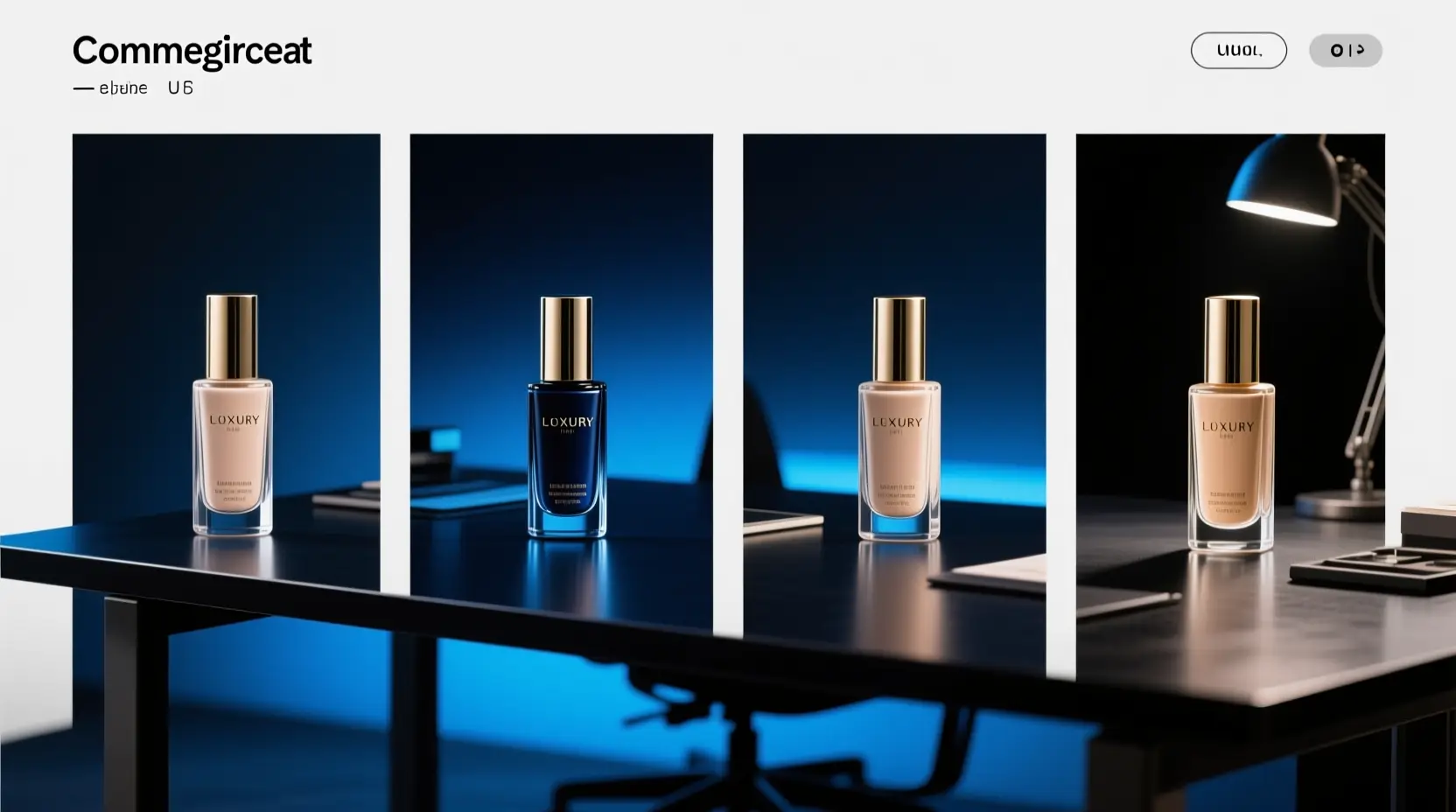
Create crisp product photography, professional packaging mockups, targeted ad concepts, and landing page hero visuals when you need exact framing, consistent material rendering, and polished studio lighting.

Poster & Typography-Driven Creative Concepts

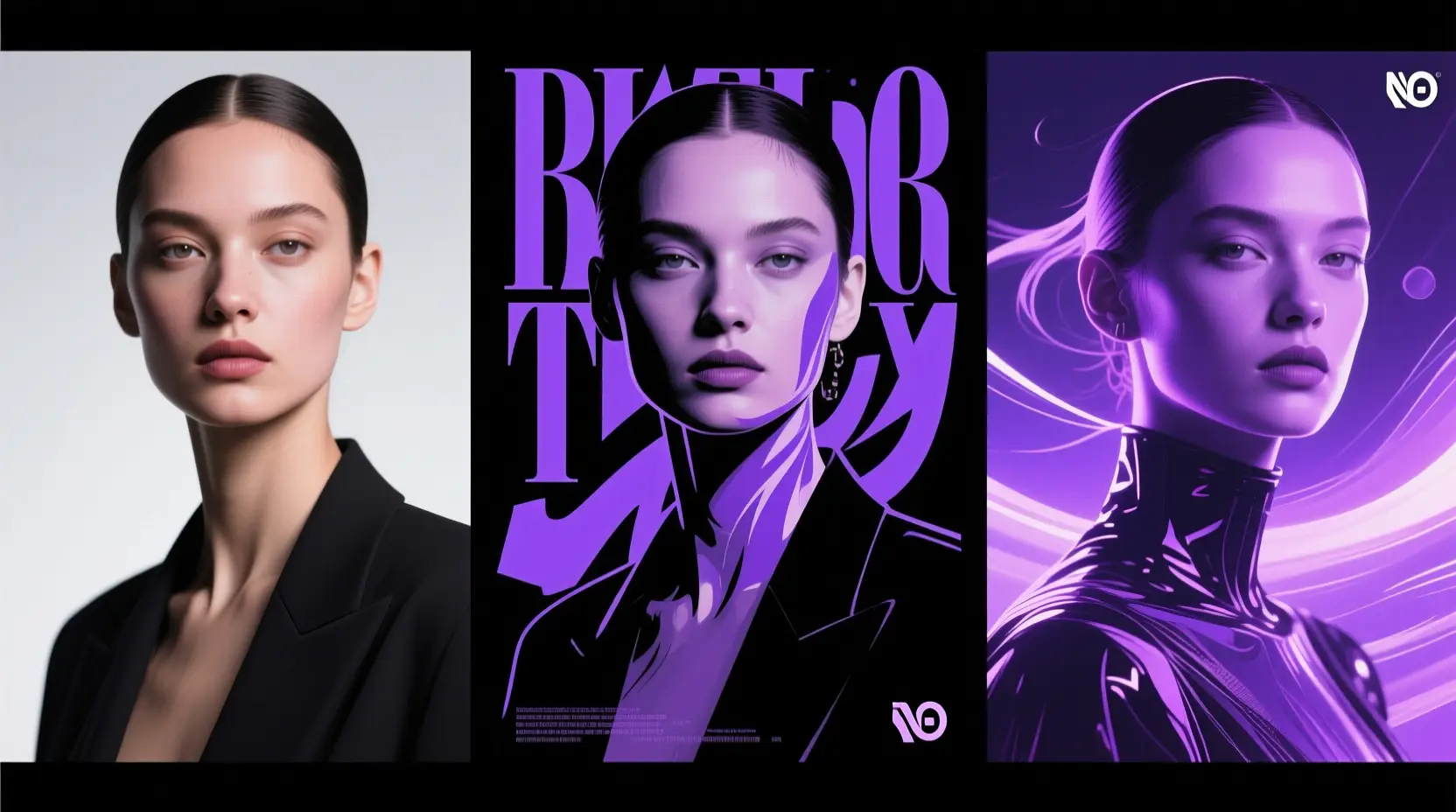
Use Z-Image for event posters, social media graphics, and layout-focused creative projects where exact prompt control and clear, readable text are non-negotiable.

Reference-Driven Image Refinement

Refine one reference image to adjust style, framing, or overall visual mood without having to rebuild your core concept from scratch.

Self-Hosted & Workflow-Oriented Deployment

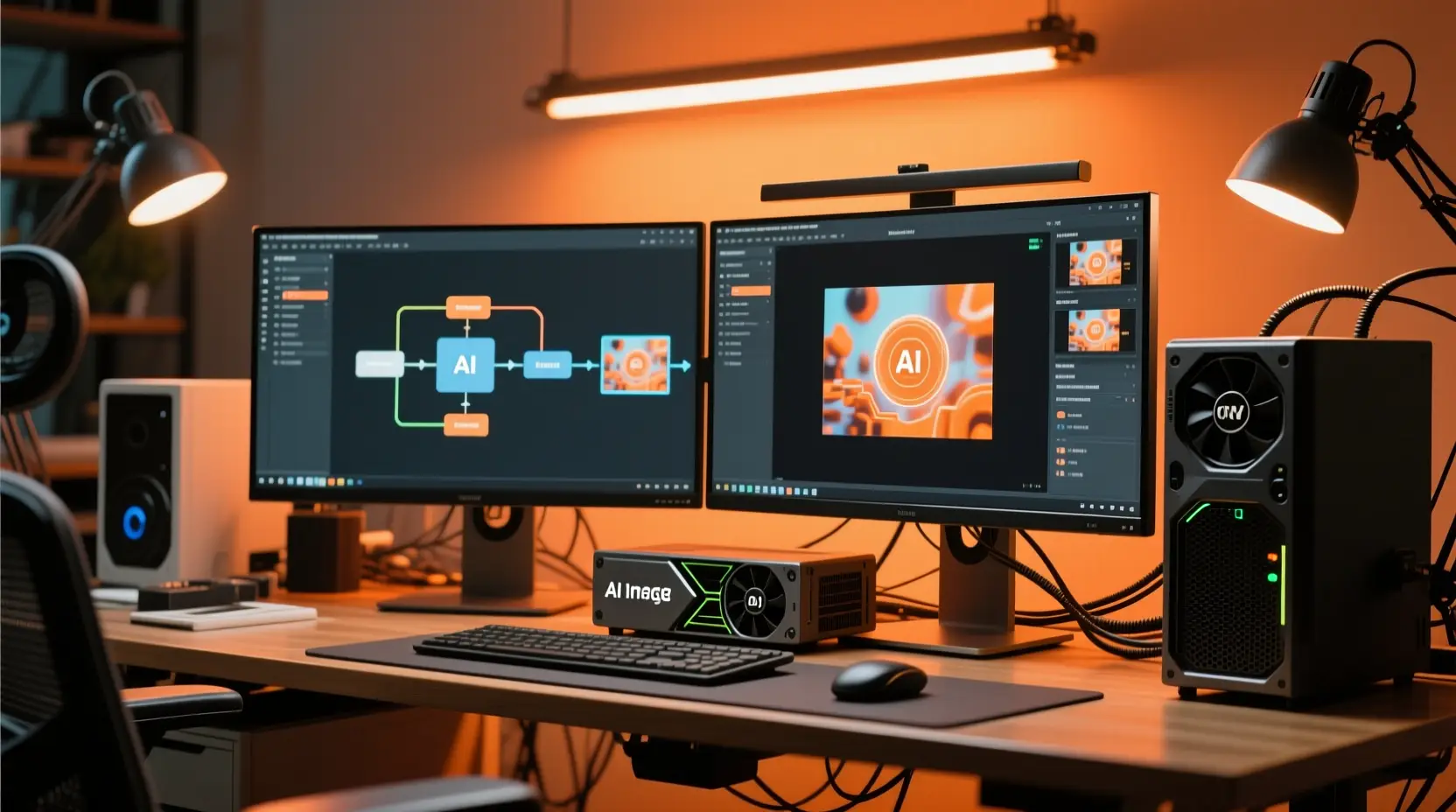
Pick Z-Image if you intend to move the same model to ComfyUI, local inference runtimes, or a fully customized image generation pipeline later on.

Proven Prompt Prompt Templates & Real-World Use Cases

Crafting Effective Z-Image prompts: Practical Templates & Real-World Examples

Each example card showcases a proven prompt prompt pattern, a real-world Z-Image generated output, and the exact writing choices that drove its success. Click to expand each card to see the full prompt, breakdown of why it works well, and tips for building your own prompts using these examples as a reference.

Product visual

Top-tier prompt Alignment Benchmarks

Ideal for crisp product visuals with exact commercial lighting control.

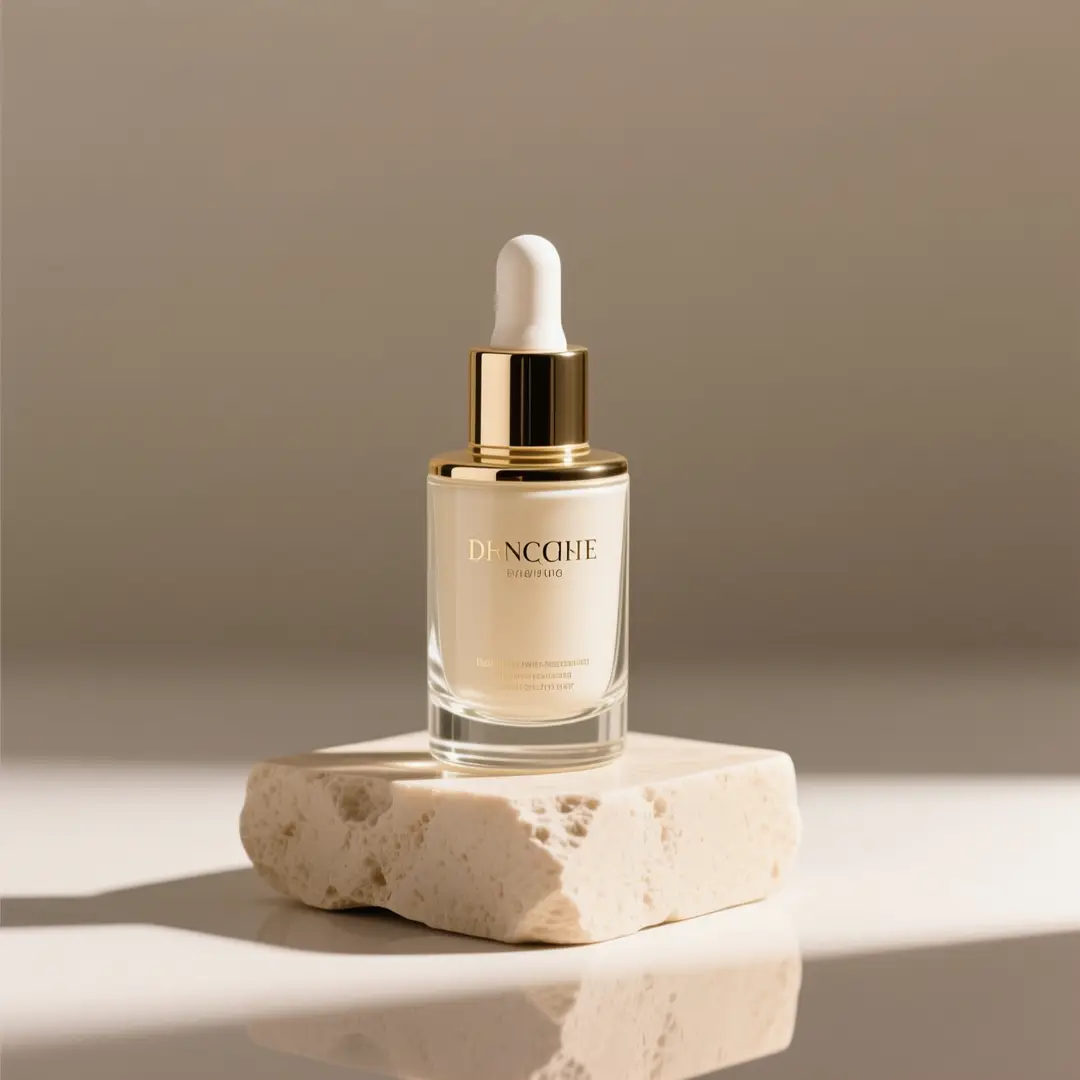
A premium glass skincare bottle resting on a light beige stone pedestal, lit with soft studio lighting.

Premium skincare product hero image

Proven industry-leading Prompt best-practice generation playbook

[product] + [camera angle] + [surface/background] + [lighting] + [commercial finish]

Dig into Full prompt Documentation & Technical SpecificationsUnfold Full Detailed Breakdown

Full prompt Breakdown Overview

A premium glass skincare bottle on a light beige stone pedestal, soft directional studio lighting, subtle shadow, clean editorial composition, luxury e-commerce hero shot, minimal background, realistic reflections, high-end packaging photography.

Key Building Blocks That Let This Prompt Produce Standout Results

This prompt matches Z-Image's strengths in realism, lighting control, and polished commercial visual style.

Target Final Generated Outcome

A polished product image for a landing page, storefront banner, or PDP hero.

Pro Insider Hacks for Creative Industry Pros

  • Start by naming your core product, then lock in your preferred shot type and surface setup for consistent results.
  • Include specific material terms like glass, stone, matte, or reflective surfaces to reduce ambiguity in the generated output.
Poster with text

Top-tier prompt Alignment Benchmarks

Excellent for poster layouts where clear, readable Chinese or English text is a critical requirement.

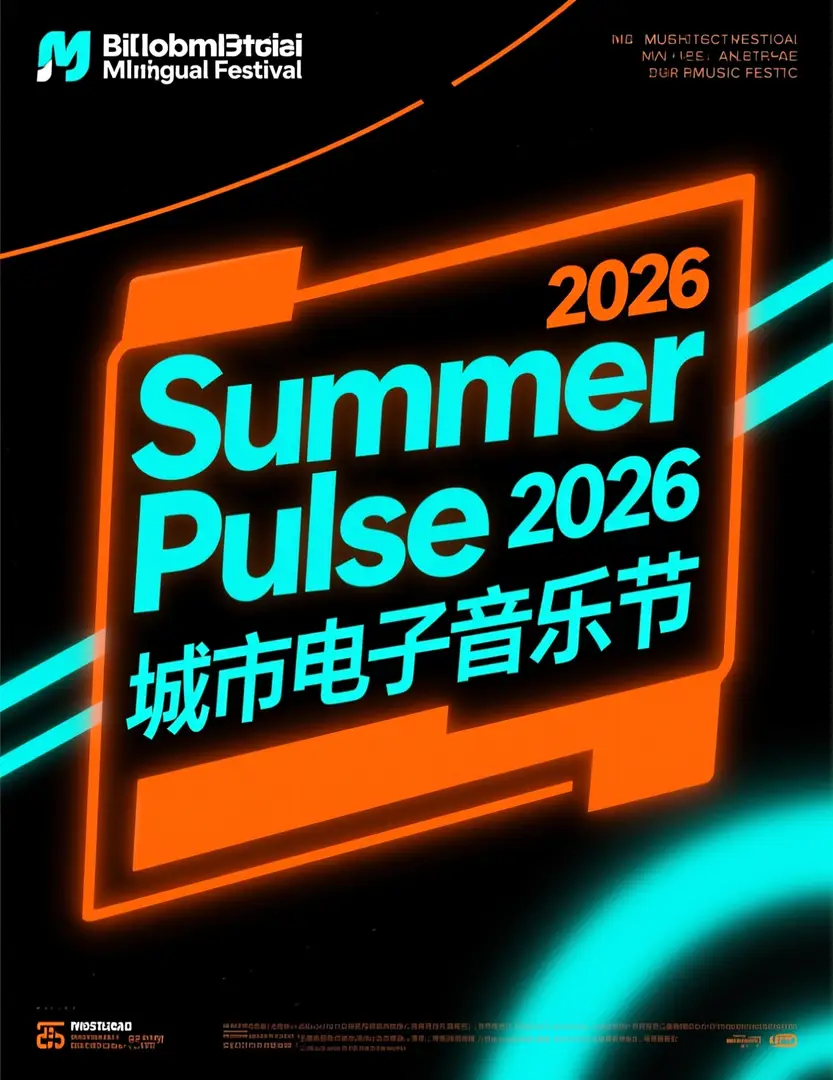
A bilingual festival poster featuring a prominent Summer Pulse 2026 headline and bold Chinese text.

Bilingual music festival poster

Proven industry-leading Prompt best-practice generation playbook

[poster subject] + [headline text] + [text language] + [layout hierarchy] + [background style]

Dig into Full prompt Documentation & Technical SpecificationsUnfold Full Detailed Breakdown

Full prompt Breakdown Overview

Modern bilingual music festival poster, bold headline "Summer Pulse 2026", smaller Chinese subtitle "城市电子音乐节", black background with neon orange and cyan accents, clear visual hierarchy, centered headline block, dynamic yet readable event poster design.

Key Building Blocks That Let This Prompt Produce Standout Results

Z-Image produces its strongest results when readable Chinese or English text is woven into your creative concept, instead of just used as decorative flourishes.

Target Final Generated Outcome

A text-focused poster concept with a more defined headline block and legible supporting text.

Pro Insider Hacks for Creative Industry Pros

  • Enclose exact headline text in quotation marks to make sure the model reproduces the wording correctly.
  • Separate your text hierarchy from the overall poster mood and visual style to get better results.
Image-to-image

Top-tier prompt Alignment Benchmarks

Ideal for single-reference edits where you want to fully retain the core object identity while making exact adjustments.

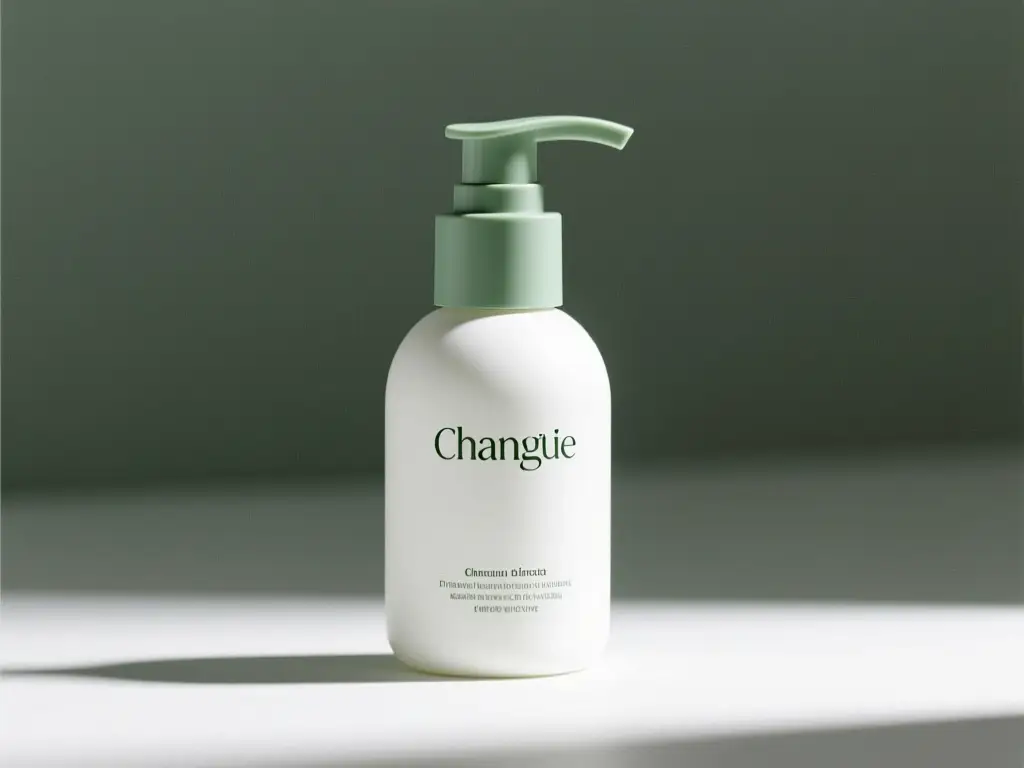
A matte white skincare pump bottle with sage green accents generated via a reference-driven packaging refresh prompt.

Reference-guided packaging update

Proven industry-leading Prompt best-practice generation playbook

[what stays the same] + [what changes] + [new lighting/style/composition direction]

Dig into Full prompt Documentation & Technical SpecificationsUnfold Full Detailed Breakdown

Full prompt Breakdown Overview

Retain the bottle shape, cap structure, and front-facing composition from the reference image. Adjust the packaging style to a modern matte white and sage green palette, softer studio lighting, cleaner premium skincare branding direction, more polished retail presentation.

Key Building Blocks That Let This Prompt Produce Standout Results

This matches Z-Image's strong single-reference editing capabilities and keeps your request targeted.

Target Final Generated Outcome

A targeted refresh that preserves the product identity while refining the packaging direction.

Pro Insider Hacks for Creative Industry Pros

  • Start by listing the consistent elements you want to keep, such as object shape, framing, or core product structure.
  • Keep your requested changes focused and exact to make sure one reference image can guide the generation correctly.
Marketing creative

Top-tier prompt Alignment Benchmarks

Excellent for high-energy commercial ad ideas that require clear product focus and bold visuals.

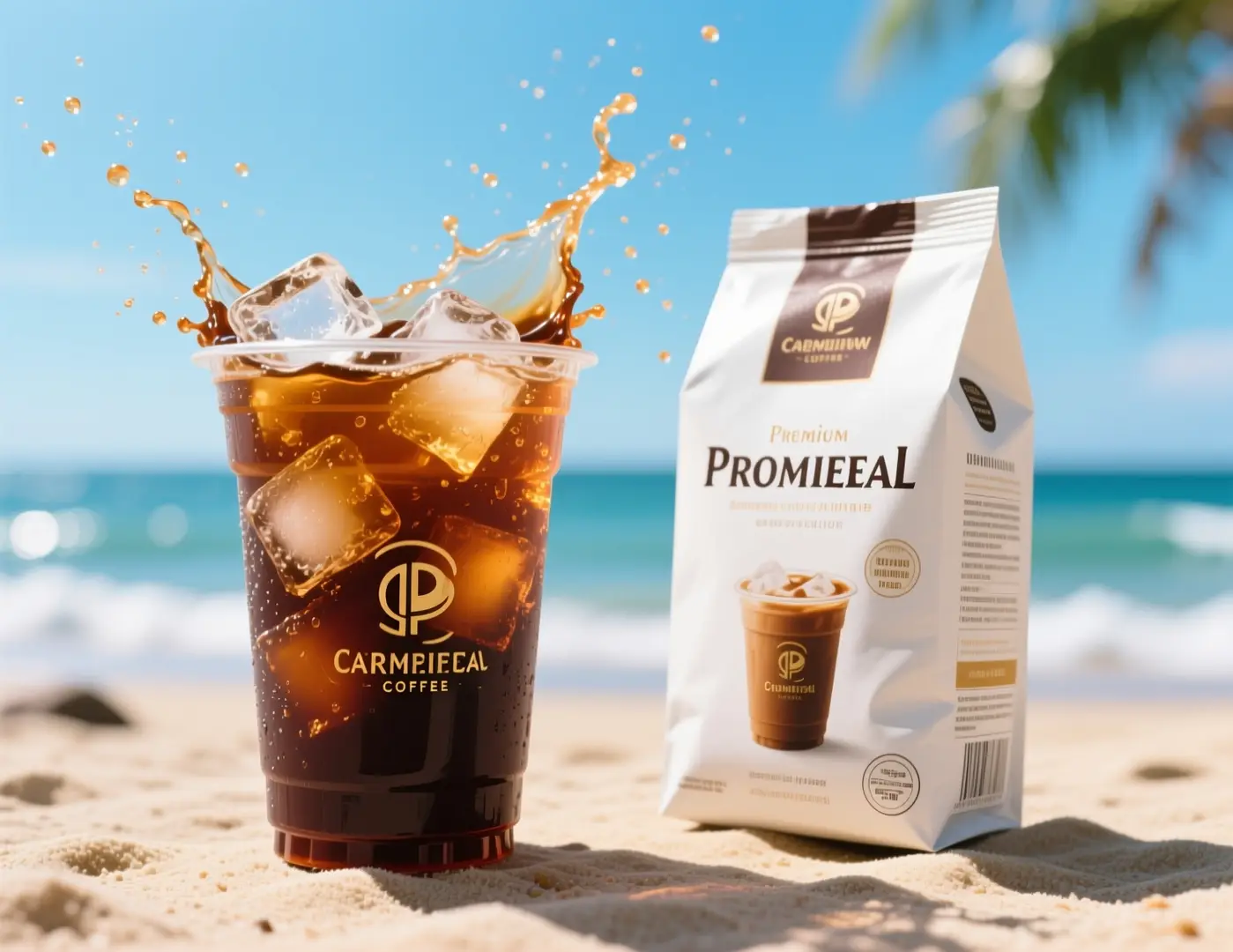
An iced coffee ad visual with splashing cold brew against a sunny beach background.

Quick Social Ad Concept for a Coffee Brand

Proven industry-leading Prompt best-practice generation playbook

[subject] + [visual direction] + [composition] + [color / lighting] + [usage context]

Dig into Full prompt Documentation & Technical SpecificationsUnfold Full Detailed Breakdown

Full prompt Breakdown Overview

Commercial iced coffee campaign visual, close-up cold brew cup with ice splash, premium coffee packaging beside the drink, bright summer daylight, beachside mood, energetic composition, crisp product photography, premium beverage advertising style, no logos, no brand names, clean packaging design.

Key Building Blocks That Let This Prompt Produce Standout Results

This prompt clearly lays out product setup, lighting, and campaign objectives while leaving out branded copy.

Target Final Generated Outcome

A beverage ad direction you can adapt for paid social, seasonal promotions, or a landing page hero.

Pro Insider Hacks for Creative Industry Pros

  • Note the marketing channel or intended use context so the composition feels purposeful.
  • Name one strong action, like a splash or close-up, instead of multiple conflicting movements.
When to Choose Z-Image

Select Z-Image When You Prioritize Open Weights and Local Deployment Flexibility

Choose Z-Image when you want clear, visible prompt adjustments, intend to reuse the same model beyond this hosted page, or prioritize open model weights and local inference tools.

Choose Z-Image When You Want a Single Model You Can Use Long-Term

Choose Z-Image if you want to create high-quality visuals on this platform first, then continue using the same model family across ComfyUI, local inference runtimes, or fully customized pipelines later on. This model is an ideal pick when exact prompt control and full model access are your top priorities.

Test Alternative Models When You Prefer Pre-Built Hosted Styles

Test GPT-4o or Seedream if you prefer a distinct pre-built visual style and don’t prioritize open model weights, local deployment, or downstream customization. These hosted tools usually offer a more streamlined, simple generation experience for casual users.

Community Insights & Validation

Community Examples & External Talks About Z-Image

These curated videos, X posts, and Reddit forum conversations offer real-world external examples and community insights about Z-Image. These resources are most helpful as supplementary validation once you’ve grown comfortable with the model and the prompt patterns covered earlier.

Curated AI Video Generation Showcase Collection

X Social Platform Community Creator-Shared Content Posts

Active Reddit Community Conversation Threads

Open-Source Tooling Ecosystem

Relevant Open-Source Tools & Projects for Z-Image

These GitHub projects have been manually checked for direct relevance to Z-Image or the broader model family. Use these resources to inspect the model, run it locally, or explore how other developers are building integrations and workflows around it.

GitHub Official Open-Source Project’s publicly available Source Code Repository 01

Tongyi-MAI / Z-Image

Official repository

The official upstream Z-Image repository hosted by Tongyi-MAI. This acts as the primary source for the entire 6B model family, official checkpoints, research report links, and standard inference guidance.

10,481 Total count of GitHub stars earned across the repository
Apache-2.0
Check Out the Open-Source Project’s Official Hub

GitHub Official Open-Source Project’s publicly available Source Code Repository 02

Koko-boya / Comfyui-Z-Image-Utilities

ComfyUI utility nodes

A specialized ComfyUI extension built solely for Z-Image image generation workflows, with prompt enhancement, image-aware prompting, and a pre-built integrated sampling node.

116 Total count of GitHub stars earned across the repository
Apache-2.0
Check Out the Open-Source Project’s Official Hub

GitHub Official Open-Source Project’s publicly available Source Code Repository 03

martin-rizzo / AmazingZImageWorkflow

ComfyUI workflow pack

A complete workflow pack for the Z-Image model family within ComfyUI, including pre-defined creative styles, refiner and upscaler steps, and pre-configured setups for GGUF and Safetensors model checkpoints.

398 Total count of GitHub stars earned across the repository
Unlicense
Check Out the Open-Source Project’s Official Hub

GitHub Official Open-Source Project’s publicly available Source Code Repository 04

martin-rizzo / ComfyUI-ZImagePowerNodes

ComfyUI custom nodes

A curated set of custom ComfyUI nodes built solely for Z-Image and Z-Image-Turbo, including helper tools for style management, latent space setup, and improved workflow ergonomics.

166 Total count of GitHub stars earned across the repository
MIT
Check Out the Open-Source Project’s Official Hub
FAQs

FAQ

All About Happy Horse AI and Our Official Platform

What is Z-Image?

Z-Image serves as the core base model for the broader Z-Image product lineup, an open-source 6B image foundation model created by Tongyi-MAI. It leads with prompt alignment, provides flexible visual compatibility, and supports versatile downstream uses ranging from fine-tuning to local self-hosting.

What is Z-Image best for?

Z-Image shines at prompt-guided image generation, poster concept development, product-focused visuals, and workflows you can later tailor for ComfyUI, local inference tools, or alternate self-hosted setups.

Does Z-Image support image-to-image here?

Absolutely. On this platform, Z-Image fully supports both text-to-image and single-reference image-to-image workflows. Upload one reference image to lock in your core composition, product silhouette, or overall visual mood for your final generated assets.

Which aspect ratios does Z-Image support here?

Z-Image offers full support for all major aspect ratios on this platform, covering 1:1, 4:3, 3:4, 16:9, and 9:16. This selection spans everything from standard square sizes to portrait, landscape, and social media-optimized creative dimensions.

How do I write better prompts for Z-Image?

Start by outlining your core subject, then add specific details about style, camera angle, lighting setup, materials, and any required text for your final image. Z-Image produces its strongest results when you clearly separate non-negotiable elements from flexible variables—this is especially useful for poster design, product photography, and single-reference refinement work.

When should I use Z-Image instead of GPT-4o or Seedream 4?

Choose Z-Image if you need an open-source model you can use beyond this hosted platform, especially if exact prompt control and self-hosting features are your top priorities. Pick GPT-4o or Seedream 4 if you primarily want their curated built-in styles and streamlined hosted generation processes.

What is the difference between Z-Image and Z-Image-Turbo?

Z-Image acts as the core 6B foundational model for its product range. Z-Image-Turbo is a slimmed-down, distilled version of the base model, optimized for faster, lighter inference. That’s why the Turbo variant is a common talking point in community workflows and local deployment configurations.

Can I use Z-Image images commercially?

The official upstream Z-Image model weights are licensed under Apache-2.0, but commercial use of any generated assets depends on your specific use case, content guidelines, and this platform’s terms of service. For professional production work, always adhere to standard legal and brand approval protocols instead of assuming model outputs are automatically approved for commercial use.

Is Z-Image open-source and can it be self-hosted?

Absolutely yes. Tongyi-MAI released the official upstream Z-Image build, and the model runs natively with diffusers-based pipelines, local inference tools, ComfyUI utility apps, and community workflow packs. This makes researching, deploying, and refining the model far simpler than closed, hosted-only AI image generators.

Still have unanswered questions? Our dedicated support team is here to help you

Related Models

Compare Z-Image Against Other Image Models on This Platform

If Z-Image doesn’t match your specific workflow needs, browse these related model pages to compare prompt generation behavior, visual aesthetics, and targeted use cases.

GPT-4o Image Generator

Test GPT-4o if you want a versatile general-purpose hosted image model for fast concepting, targeted edits, and a unique visual generation bias.

Browse Our Curated Collection of Linked AI Models

Flux 2 Image Generator

Check out Flux 2 for an alternative way to access high-quality polished image generation, featuring a unique prompt generation response and distinct visual style bias.

Browse Our Curated Collection of Linked AI Models

Seedream 4 Image Generator

Compare Z-Image against Seedream 4 if you want a more stylized or cinematic visual direction for your creative image outputs.

Browse Our Curated Collection of Linked AI Models

Qwen 2 Image Generator

Check out Qwen 2 for another prompt-guided image generation model with reference-based creation and a unique alternative output style.

Browse Our Curated Collection of Linked AI Models

Start Creating with Z-Image Today

Launch the built-in generator, start with a detailed prompt or one reference image, and use Z-Image to run controllable text-to-image generation and streamlined single-reference edits right on this platform.

Resources
  • Blog
  • Create
  • Scenes
  • Works
  • Prompts
  • Image to Prompt
  • Batch Image to Prompt
Company & Legal
  • About
  • Contact
  • Privacy Policy
  • Terms of Service
  • Refund Policy
Image Models
  • Z-Image
  • GPT-4o
  • Flux 2
  • Flux 2 Pro
  • Flux 2 Klein
  • Qwen Image 2
  • Seedream 4.0
  • Seedream 4.5
  • Seedream 5.0
  • Grok Imagine
  • Nano Banana Pro
  • Nano Banana Flash
  • Nano Banana 2
Video Models
  • Google Veo 3.1
  • Google Veo 3.1 Lite
  • Google Veo 3.1 Pro
  • Seedance 1.5 Pro
  • Seedance Fast
  • Seedance Quality
  • Seedance 2.0
  • Hailuo 02
  • Kling v2.6
  • Kling v2.5 Turbo
  • Kling v2.1
  • Kling v2.1 Master
  • Kling O1
  • Kling v3.0
  • Kling v3.0 Pro
LogoHappy Horse AI

Powered by Happy Horse AI | Fast Video Generation | Professional Quality

Email

This website is an independent third-party service built around Seedance-related workflows. We are not the official website of ByteDance or Seedance. Seedance and related trademarks belong to their respective owners.

© 2026 Happy Horse AI All Rights Reserved. DREAMEGA INFORMATION TECHNOLOGY LLC

[email protected]