LogoHappy Horse AI
  • Create
  • Agent
  • AI Image
  • AI Video
  • Pricing
Resources
  • Blog
  • Create
  • Scenes
  • Works
  • Prompts
  • Image to Prompt
  • Batch Image to Prompt
Company & Legal
  • About
  • Contact
  • Privacy Policy
  • Terms of Service
  • Refund Policy
Image Models
  • Z-Image
  • GPT-4o
  • Flux 2
  • Flux 2 Pro
  • Flux 2 Klein
  • Qwen Image 2
  • Seedream 4.0
  • Seedream 4.5
  • Seedream 5.0
  • Grok Imagine
  • Nano Banana Pro
  • Nano Banana Flash
  • Nano Banana 2
Video Models
  • Google Veo 3.1
  • Google Veo 3.1 Lite
  • Google Veo 3.1 Pro
  • Seedance 1.5 Pro
  • Seedance Fast
  • Seedance Quality
  • Seedance 2.0
  • Hailuo 02
  • Kling v2.6
  • Kling v2.5 Turbo
  • Kling v2.1
  • Kling v2.1 Master
  • Kling O1
  • Kling v3.0
  • Kling v3.0 Pro
LogoHappy Horse AI

Powered by Happy Horse AI | Fast Video Generation | Professional Quality

Email

This website is an independent third-party service built around Seedance-related workflows. We are not the official website of ByteDance or Seedance. Seedance and related trademarks belong to their respective owners.

© 2026 Happy Horse AI All Rights Reserved. DREAMEGA INFORMATION TECHNOLOGY LLC

[email protected]
Now officially live and open to all public usersNovember 2025

Unified AI Image Creation & Editing Workspace

Create polished, professional AI images in under 60 seconds. Kick off with a text prompt or reference photo, swap between top-tier image models mid-project, and refine outputs without leaving your current work tab.

Loading...

Prompt:

auto

1:1

2:3

3:2

3:4

4:3

4:5

5:4

9:16

16:9

21:9

Model:
Resolution

Loading...

Scene Examples 1
Streamlined Sequential Image Production

Pick Your Model, Polish Your Creative Vision, Generate Images Rapidly

Kick off by mapping out your visual goal, then select the image model that aligns with your prompt workflow, editing depth, and target output style.

01

Define Your Visual Goal

Begin by mapping out your subject, layout, and intended use case—spanning product photography, event posters, social media graphics, and concept art.

02

Upload Reference Images for Enhanced Accuracy

Upload one or more reference photos whenever product identity, precise framing, distinct style, or text placement demands more deliberate, targeted control over your final output.

03

Generate Drafts and Swap Models Seamlessly

Generate your initial draft, then swap to another model family if you need crisper text, a specific realism level, or more robust editing tools.

Key Advantages of This Image Creation Workspace

Generate AI Images Without Locking Yourself to One Model Too Soon

Use this workspace when your visual goal is clear but you’re uncertain which image model will deliver the strongest results. Generate quickly, compare outputs seamlessly, and explore more detailed options only once you’ve identified a model that aligns with your precise requirements.

Unified Generator for Leading Image Model Families

Swap between GPT-4o, Seedance, Seedream, Flux, Qwen, and Z-Image without restarting your full generation workflow.

Compare top-tier image model families all within a single unified workspace.
Swap models faster when an initial output falls short of your standards.
Stick to practical model selections, rather than just theoretical alternatives.

Text-Only and Reference-Driven Workflows in One Central Hub

Begin with a prompt, or add reference photos when precise shape, framing, or product identity requires additional creative oversight.

Use text-to-image for a crisp, unguided initial draft.
Use image-to-image once you have a defined visual direction.
Ensure your prompt and reference photos work together seamlessly.

Ideal for Layout, Text, and Campaign Design

Some projects require clear, easy-to-read text or strict prompt compliance, while others call for a cinematic or ultra-refined visual tone.

Select GPT-4o for text-focused visual projects.
Opt for Seedream or Flux for varying degrees of visual polish.
Compare model families before finalizing your campaign creative vision.

Hosted Simplicity First, Advanced Model Tools Later On

If a specific image model aligns with your requirements, you can navigate to its dedicated page for more detailed prompt examples, validation, and tailored workflow support.

Stay focused on versatility when speed is your top priority.
Refine your workflow later when model-specific accuracy is most critical.
Maintain a straightforward, intuitive initial generation process.
Key Creative Use Cases

Primary Use Cases for This All-In-One AI Image Generation Tool

These are the most widely used AI image generation tasks for creators who choose a unified workspace over single-model standalone tools.

Product & Packaging Imagery

Create product hero shots, retail mockups, e-commerce still lifes, and core campaign visuals.

Posters & Social Media Graphics

Craft launch posters, ad layouts, and platform-specific graphics where text readability and deliberate layout are your top priorities.

Reference-Driven Image Edits

Begin with one or more reference photos and polish style, materials, color palette, framing, or background to match your creative vision.

Concept Boards & Art Direction

Use multiple models to compare mood, finish, and visual tone before finalizing your core creative vision.

Prompt Prompt Examples

Prompt Templates for Popular AI Image Creation Tasks

Use these prompts as starting points for your AI image creation, then swap models if your output needs crisper text, adjusted realism, or more robust editing tools.

Product Photography

Top-tier prompt Alignment Benchmarks

Perfect for crisp product still lifes and high-end e-commerce visuals.
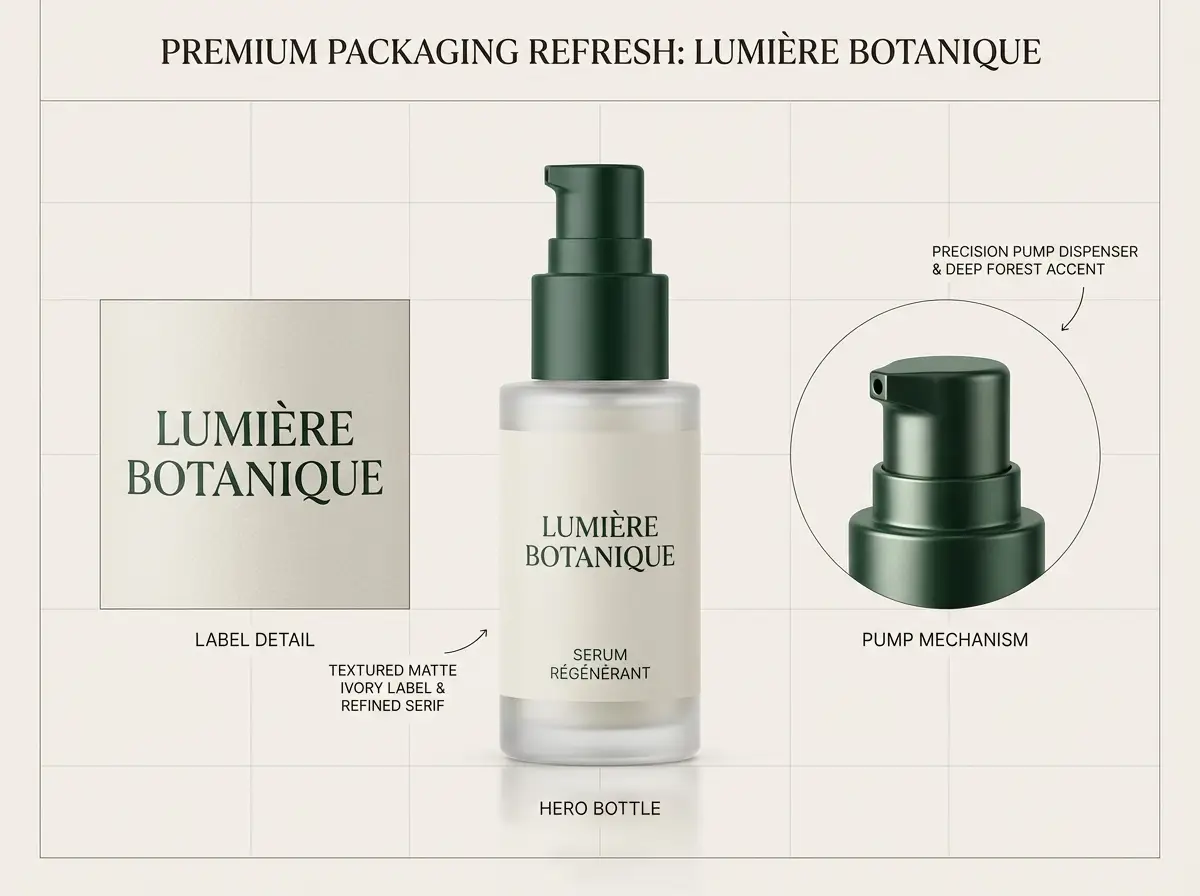
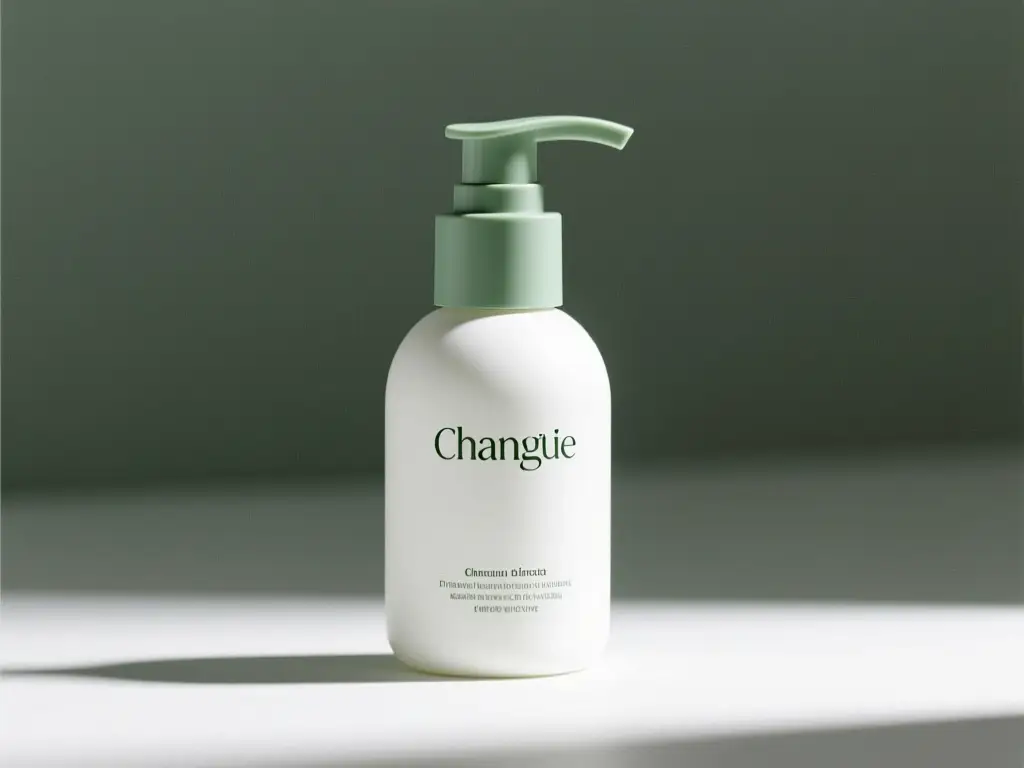
Luxury Packaging Hero Shot

Luxury Packaging Hero Shot

Proven industry-leading Prompt best-practice generation playbook

[product] + [surface/background] + [lighting] + [finish] + [usage context]

Dig into Full prompt Documentation & Technical SpecificationsUnfold Full Detailed Breakdown

Full prompt Breakdown Overview

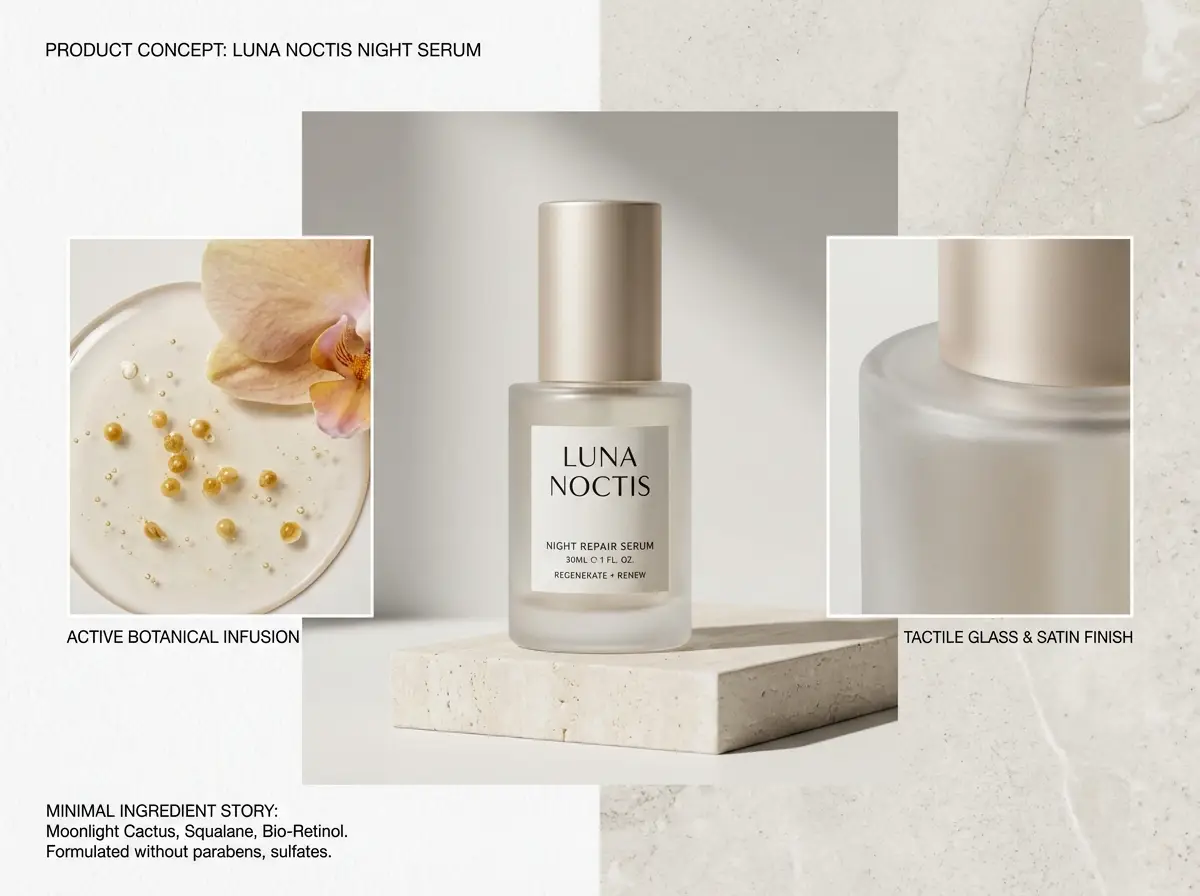
A luxury skincare bottle resting on a warm stone plinth, soft directional studio lighting, subtle shadow gradient, clean e-commerce hero shot, realistic surface reflections, modern luxury packaging, minimalist background, polished commercial photography finish

Key Building Blocks That Let This Prompt Produce Standout Results

This prompt is thorough, material-focused, and transparent about lighting and commercial finish requirements.

Target Final Generated Outcome

A polished product shot ideal for a landing page hero, product detail page, or ad mockup.

Pro Insider Hacks for Creative Industry Pros

  • Identify your product and surface first before establishing the overall mood.
  • Incorporate material-specific terminology such as glass, matte, brushed metal, or paper stock.
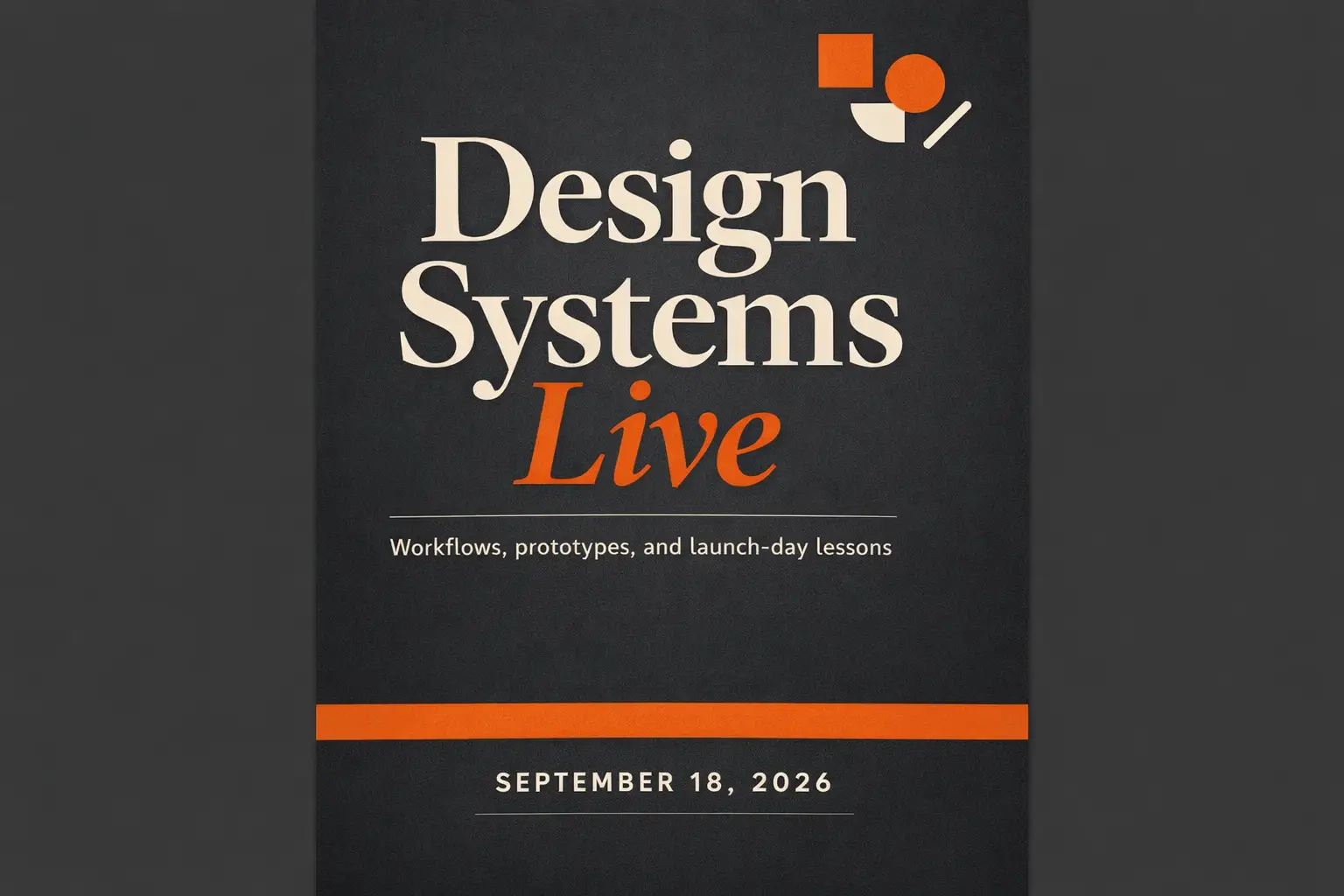
Text-Heavy Poster

Top-tier prompt Alignment Benchmarks

Ideal when your headline, text hierarchy, and poster layout hold equal importance to the visual artwork.

Conference Launch Poster with Crisp, Easy-to-Read Headline

Conference Launch Poster with Crisp, Easy-to-Read Headline

Proven industry-leading Prompt best-practice generation playbook

[subject] + [headline text] + [layout hierarchy] + [background style] + [poster intent]

Dig into Full prompt Documentation & Technical SpecificationsUnfold Full Detailed Breakdown

Full prompt Breakdown Overview

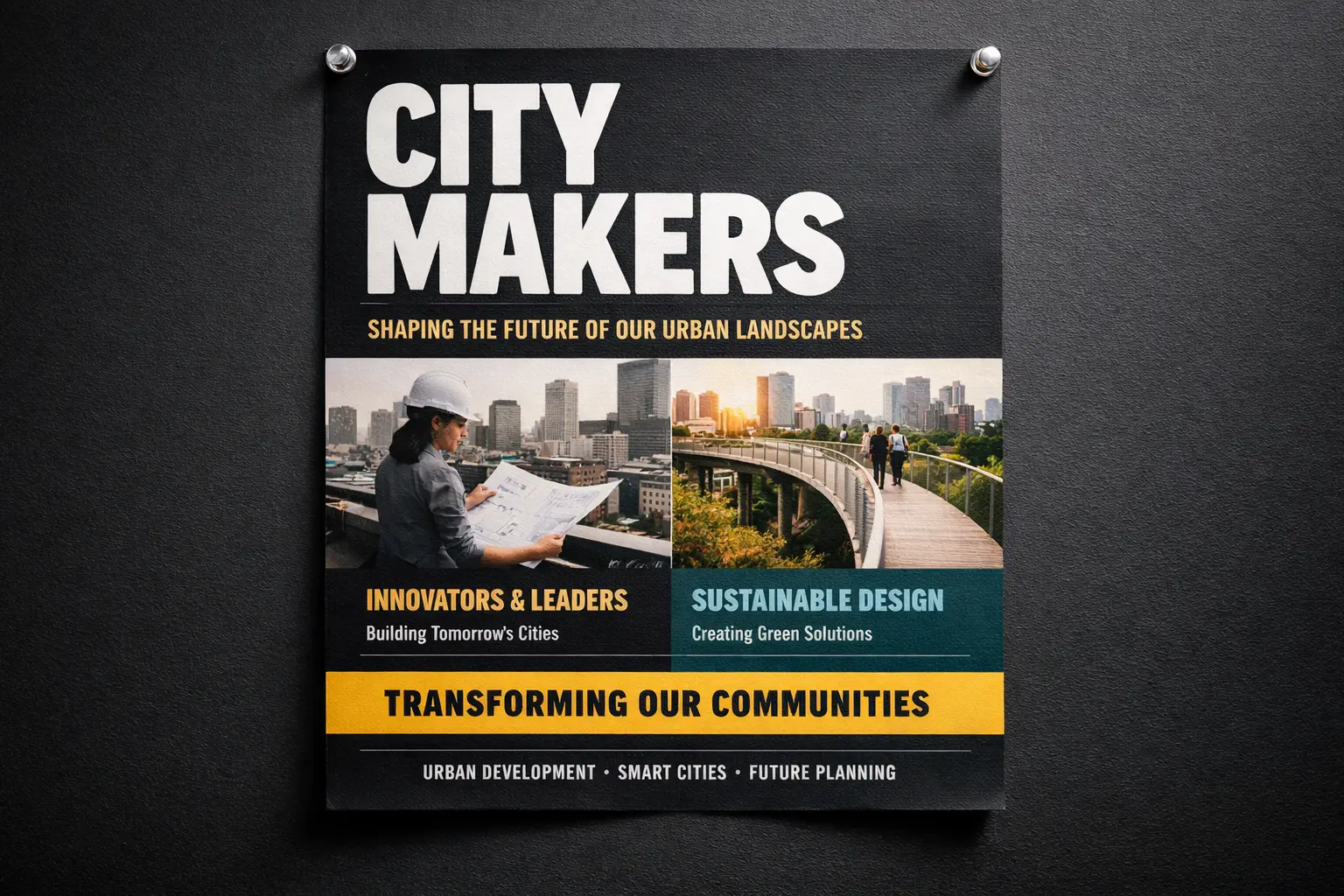
Modern design conference launch poster, bold headline "Design Shift 2026", smaller subhead "Creative Systems for Teams", prominent centered text hierarchy, black background with neon cyan and silver accents, premium editorial poster layout, easy-to-read typography, balanced spacing

Key Building Blocks That Let This Prompt Produce Standout Results

This prompt breaks down poster content, text hierarchy, and visual treatment rather than lumping all details into generic style language.

Target Final Generated Outcome

A text-focused poster concept with tighter layout guidance and sharper typography.

Pro Insider Hacks for Creative Industry Pros

  • Include exact text in quotation marks when wording is critical to your project.
  • Outline text hierarchy separately from colors and overall tone.
Image-to-Image Edit

Top-tier prompt Alignment Benchmarks

Perfect for targeted edits where your base object or layout must remain instantly recognizable.

Reference-Driven Packaging Refresh

Reference-Driven Packaging Refresh

Proven industry-leading Prompt best-practice generation playbook

[what stays] + [what changes] + [new style/material/color direction]

Dig into Full prompt Documentation & Technical SpecificationsUnfold Full Detailed Breakdown

Full prompt Breakdown Overview

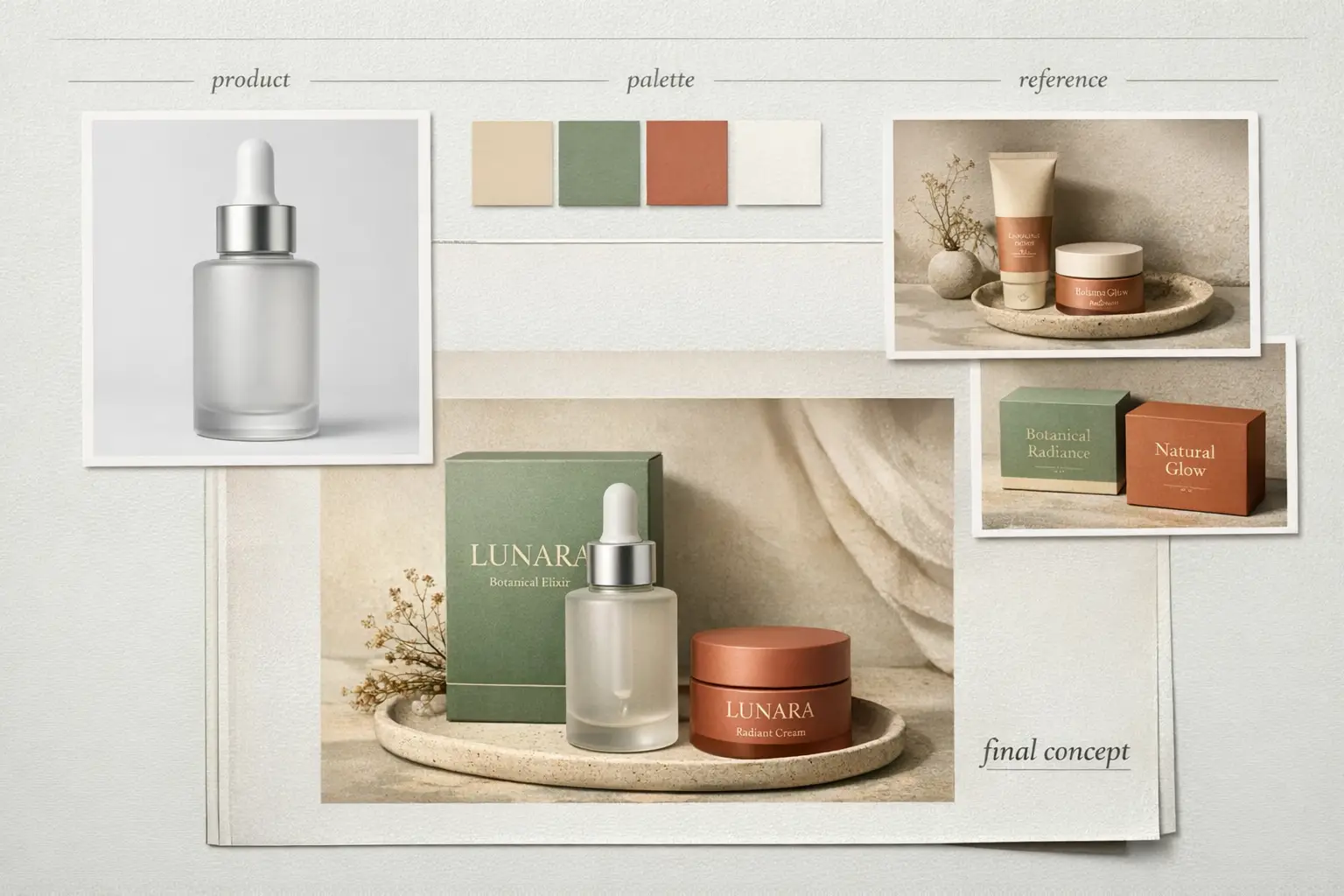
Keep the bottle shape, front-facing layout, and cap structure from the reference photo. Tweak the packaging to matte white with desaturated sage accents, softer editorial studio lighting, elevated premium skincare branding, cleaner retail presentation, and subtle shadow control

Key Building Blocks That Let This Prompt Produce Standout Results

This prompt first outlines which elements must remain consistent before requesting the edit, cutting down on unintended visual adjustments.

Target Final Generated Outcome

A targeted refresh that preserves product identity intact while upgrading the overall visual system.

Pro Insider Hacks for Creative Industry Pros

  • Prioritize consistent elements first within your prompt.
  • Write your edit request with greater detail than your initial creative concept.
Campaign Creative

Top-tier prompt Alignment Benchmarks

Ideal for refined editorial campaigns where mood, finish, and styling define the overall visual impact.

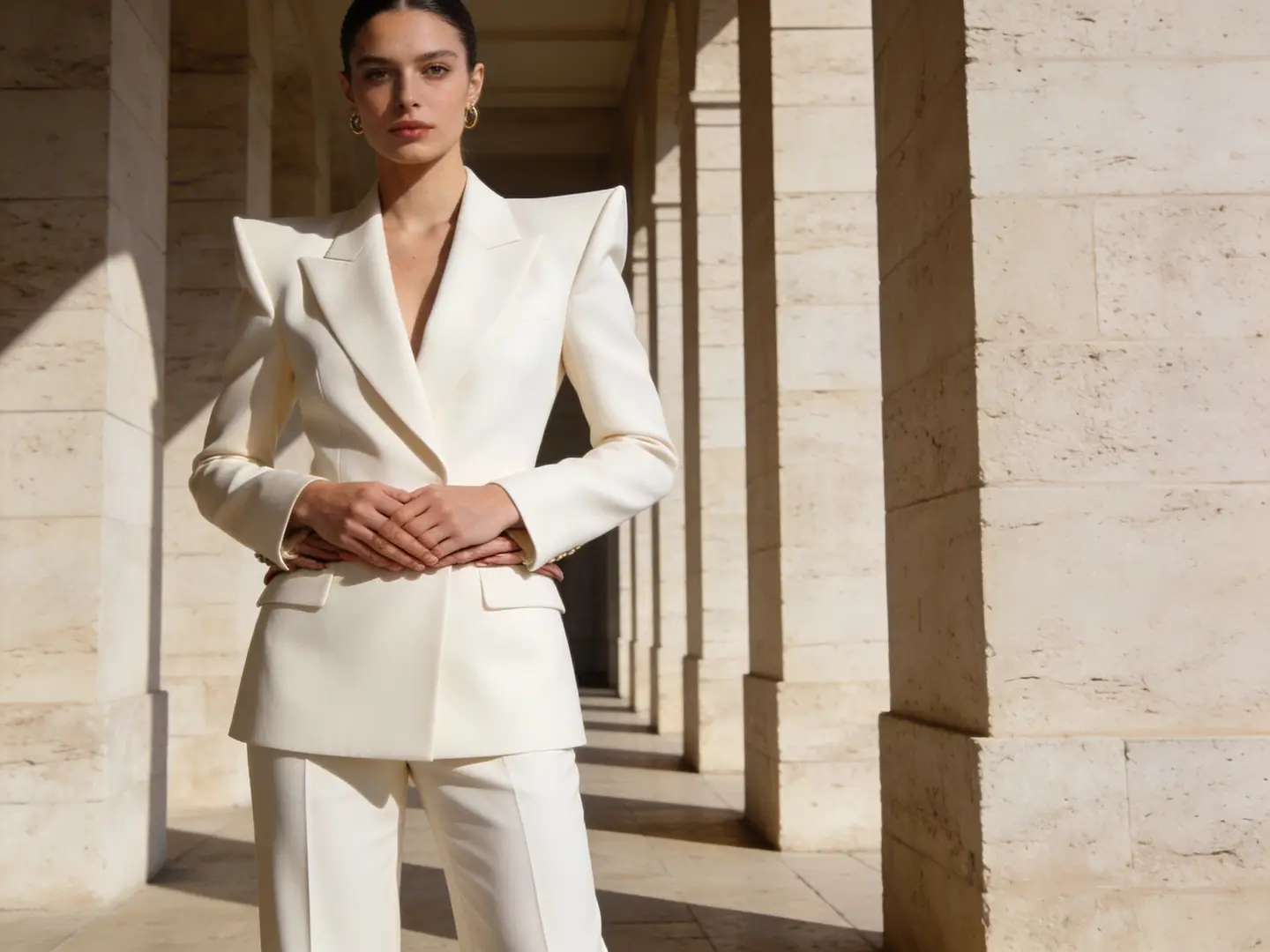
Luxury Fashion Campaign Shot

Luxury Fashion Campaign Shot

Proven industry-leading Prompt best-practice generation playbook

[subject] + [styling] + [camera feel] + [lighting] + [campaign finish]

Dig into Full prompt Documentation & Technical SpecificationsUnfold Full Detailed Breakdown

Full prompt Breakdown Overview

Editorial fashion campaign shot, self-assured model in structured cream tailoring, medium frame, luxury boutique lighting, subtle shadow falloff, glossy magazine-grade finish, premium styling, muted color palette, high-resolution campaign image for a luxury brand launch

Key Building Blocks That Let This Prompt Produce Standout Results

This prompt provides the model with a clear editorial use case, restricted color palette, and premium finish objective.

Target Final Generated Outcome

A polished campaign-style shot you can repurpose for lookbooks, ads, or hero banners.

Pro Insider Hacks for Creative Industry Pros

  • Center on a single strong fashion or commercial context rather than multiple overlapping concepts.
  • Stick to a restricted color palette for a luxurious, cohesive final output.
When to Use This Image Creation Workspace

Use This Workspace to Compare Models & Generate Images Rapidly

Use this workspace when your workflow is clear but you’re uncertain which model will deliver the strongest results. Begin with a broad approach, then narrow your focus once a model family aligns with your precise requirements.

Use This Workspace for Unified AI Image Generation

Ideal if you want to swap between text-to-image and image-to-image quickly, compare multiple model families, and maintain a streamlined workflow.

Use a Dedicated Model Page Once You’ve Chosen Your Tool

Go to a model-specific page when you’ve already settled on using GPT-4o, Z-Image, Seedream, Flux, or Seedance and need more detailed prompt templates or model-specific validation.

Creator Community Insights

Community Examples & Model Discussions for AI Image Generation

These videos, X posts, and Reddit threads demonstrate how creators compare image models in real-world workflows, rather than just reviewing technical specification documents.

Curated AI Video Generation Showcase Collection

X Social Platform Community Creator-Shared Content Posts

Active Reddit Community Conversation Threads

FAQs

FAQ

All About Happy Horse AI and Our Official Platform

What can I generate here?

You can build text-to-image and image-to-image assets all within a single workspace, then swap models at any time to land a one-of-a-kind prompt result, crisper text, or a distinct visual style.

Which image models are available?

Pick from GPT-4o, Seedance Pro, Seedance 2, Seedream, Flux, Qwen Image, Z-Image, and Seedance Flash—each tuned to align with your specific workflow requirements.

Can I use reference images here?

Absolutely. This workspace supports reference-image workflows, letting you kick off with just text or add multiple reference photos whenever your layout, product form, or subject identity demands more precise creative oversight.

How do I choose the right model?

Begin with GPT-4o first if crisp text clarity and strict prompt compliance are your top priorities. Select Seedance for robust hosted editing tools and multi-image context support. Go with Seedream for polished, campaign-ready visuals, Flux for flexible art direction, and Z-Image if open-source model workflows match your creative goals.

Do all models support the same ratios and inputs?

Absolutely not. This platform will only display aspect ratios, image upload limits, and resolution presets that your currently chosen model natively supports.

When should I use this page instead of a dedicated model page?

Pick this page if you want to dive straight into generation and compare multiple image models without added hassle. Navigate to a dedicated model page once you’ve settled on a specific tool and want more detailed prompt examples and tailored, model-specific guidance.

Still have unanswered questions? Our dedicated support team is here to help you

Key Navigation Options

Leading Dedicated Image Model Portal Pages

Navigate to a dedicated image model page once a specific family aligns with your creative goals.

GPT-4o AI Image Generation Tool

Ideal for projects where text readability, diagram generation, and precise prompt compliance are critical.

Browse Our Curated Collection of Linked AI Models

Seedance Pro

Perfect for high-end hosted image generation and robust multi-image editing tools.

Browse Our Curated Collection of Linked AI Models

Seedance 2

Great for grounded generation or when you require more detailed, richer image context.

Browse Our Curated Collection of Linked AI Models

Seedream 4 AI Image Generation Tool

Ideal for refined, campaign-ready visuals and a distinct hosted image generation experience.

Browse Our Curated Collection of Linked AI Models

Z-Image AI Image Generator

Perfect for open-source model workflows and when you wish to switch to self-hosted implementation down the line.

Browse Our Curated Collection of Linked AI Models

Flux 2 AI Image Generation Tool

Ideal if you want an alternative path to refined art direction and prompt-led image generation.

Browse Our Curated Collection of Linked AI Models

Begin Your AI Image Generation Today

Select a model, add a prompt or reference photo, and generate your first draft right above.

Explore More AI Image Styles

Discover 0 artistic styles for AI image generation, with different models and prompts as your creative partner

No Scenes Yet

No scenes available yet. Check back later for new creative styles!